

How to Fix Amazon Ads Billing Issues
Resolve payment failures and billing errors in your Amazon Advertising account to get your campaigns running again.
Watch Our Video Tutorial
Before You Start
Billing issues are the most common reason Amazon Ads campaigns get paused unexpectedly. If your campaigns have stopped running, checking your billing status should be your first step.
You will need access to the Amazon account that owns the advertising account. Only the account owner can update billing and payment details.
3 Steps to Fix Billing Issues
Follow these steps to identify and resolve billing problems in your Amazon Advertising account.
Navigate to Billing Settings
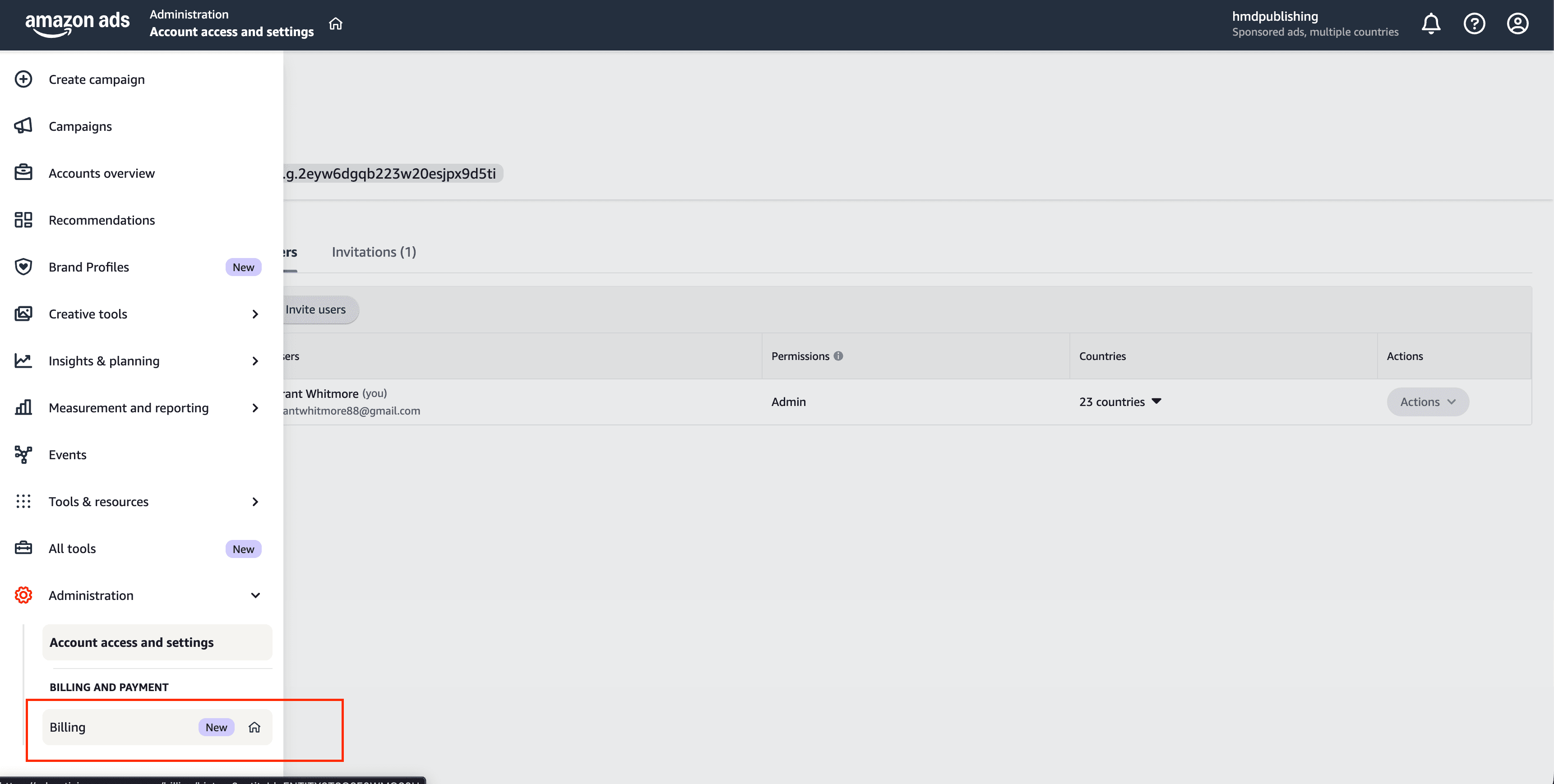
From Account access and settings, look for the Billing and Payment section in the left sidebar. Click Billing to view your billing overview.
If you are not already on the Account access and settings page, follow Step 1 of our access guide to navigate there first.
Check Account Status
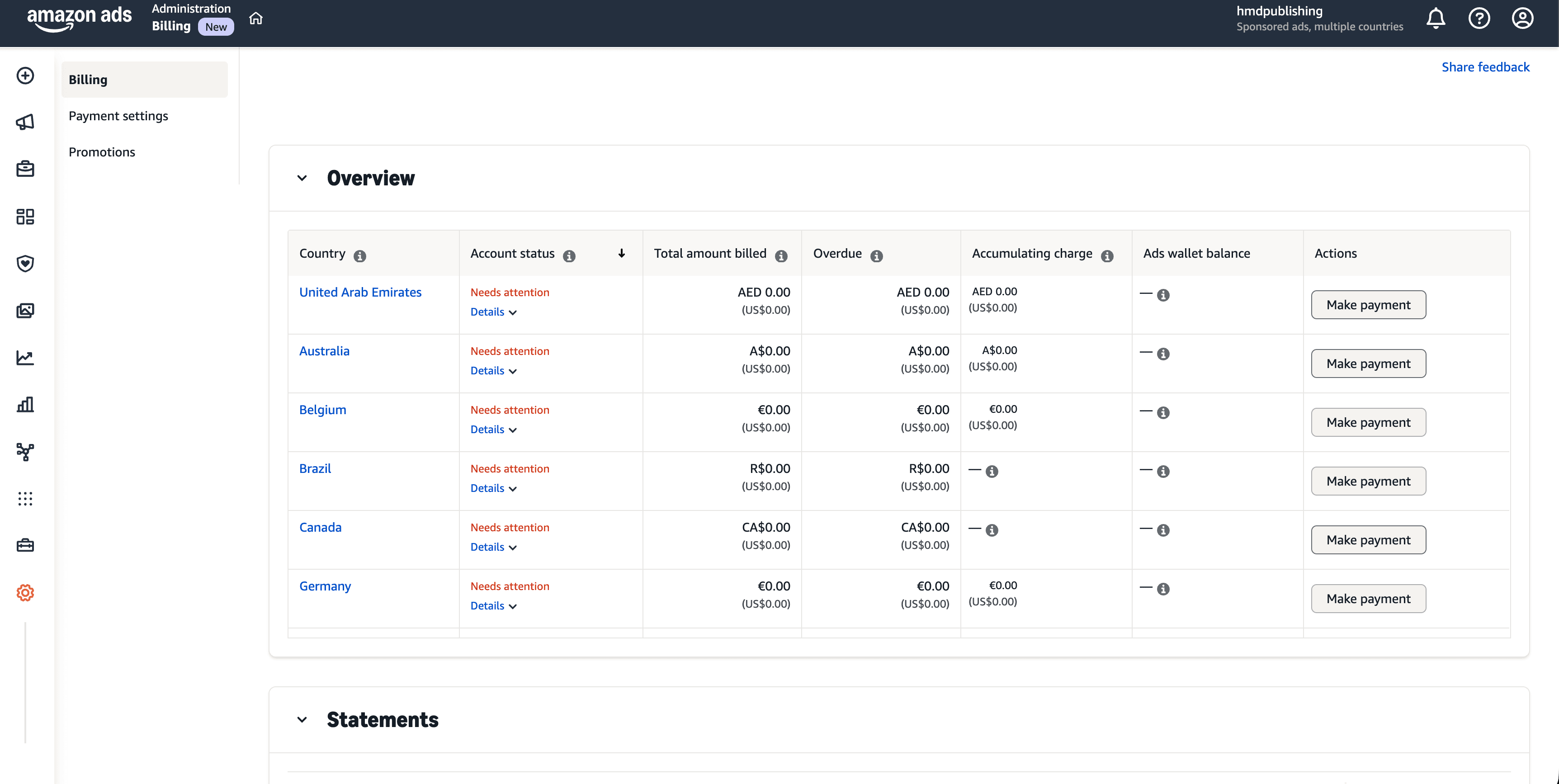
On the Billing overview page, check the Account status column. If any country shows Needs attention in red, that marketplace has a billing issue that needs resolving.
Click Make payment or Details for the affected country to see what action is required — this is usually an outstanding balance or an expired payment method.
Multiple countries showing "Needs attention"?
This is common if you advertise in multiple marketplaces. You will need to resolve billing for each affected country individually.
Set Up or Update Payment Profile
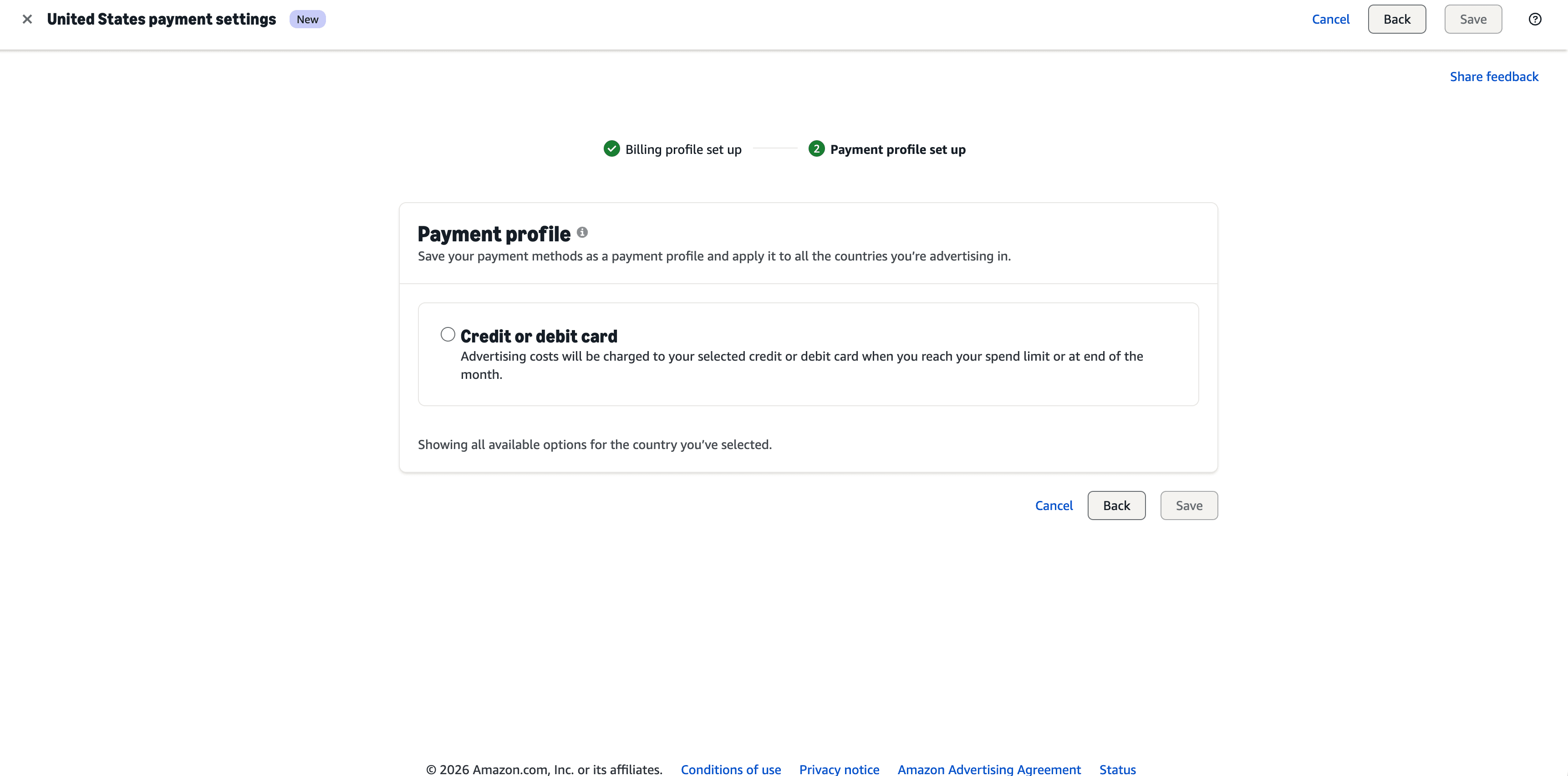
Click Payment settings in the left navigation. Set up your Payment profile by selecting Credit or debit card and entering your card details. Click Save to complete the setup.
Amazon uses a two-step wizard: first your Billing profile (address and tax info), then your Payment profile (card details). Both must show a green tick before your ads can run.
Once payment is updated, campaigns typically resume within a few hours.
If your campaigns are still paused after 24 hours, contact us and we will investigate.
Important Tips
International transactions
Ensure your card allows international transactions — Amazon may charge from a different country depending on your marketplace.
Billing address
Your billing address must match exactly what your bank has on file. Even small differences can cause payment failures.
Pre-authorise with your bank
Some banks flag recurring advertising charges as suspicious — call your bank to pre-authorise payments to Amazon if needed.
Campaign resume time
Once payment is updated, campaigns typically resume within a few hours. If not within 24 hours, contact our team.
Related Guides
Frequently Asked Questions
Campaigns can be paused for reasons other than billing — for example, daily budget exhaustion or manually paused status. Check your campaign budgets first. If billing shows "Active" for all countries and your budgets are not exhausted, contact us at support@hmdpublishing.com and we will investigate.
Need Help With Your Campaigns?
If your billing is sorted but your campaigns still are not performing, our team can help. We specialise in Amazon Advertising for authors and publishers.
- ✓Data-driven Amazon Advertising campaigns for books
- ✓Keyword research and bid optimisation across all marketplaces
- ✓Sponsored Products, Brands, and Display ad management
- ✓Monthly performance reporting and strategy adjustments
Need a Hand?
Stuck on something? We're here to help.